Inspira Access1.0190
Publisher Description
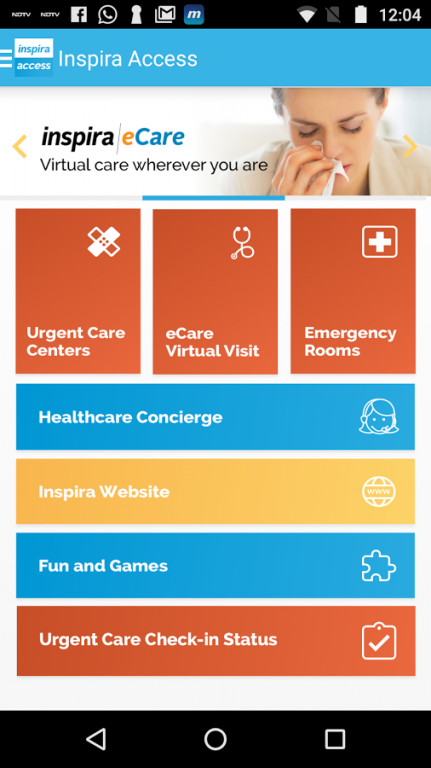
Description
The Inspira Access app is the fastest and easiest way to connect with care providers in your community when you need it the most. You can quickly navigate to the most convenient Inspira Medical Centers based on proximity and wait times, and save your place in line at any Inspira Urgent Care Center by checking in within the app. If you have questions not requiring a hospital visit, instantly call or chat with your Health Concierge to coordinate your healthcare needs and get answers to your medical questions.
Features:
• Immediately connect with an Inspira Health Concierge to ask medical questions, resolve insurance concerns, schedule appointments, and connect with doctors at convenient locations.
• Find the most convenient Inspira Urgent Care Centers and Emergency Rooms by proximity to your location and estimated wait time.
• Get in line at an Urgent Care Center with the Mobile Check In feature that allows you to see individual wait time and number in the queue.
• Leverage your phone’s native GPS mapping app to navigate directly to the nearest and most convenient facility.
• Explore the full breadth of Inspira’s facilities and services with in-app access to Inspira’s full-featured mobile website.
• Engage with your children and learn about health with Inspira’s fitness, nutrition, and mood games.
• Stay up-to-date on fun Inspira events and promotions such as Spirit of Women classes, and holiday events for families.
About Inspira Access
The company that develops Inspira Access is Intraprise Solutions Inc.. The latest version released by its developer is 1.0190.
To install Inspira Access on your Android device, just click the green Continue To App button above to start the installation process. The app is listed on our website since 2018-01-03 and was downloaded 6 times. We have already checked if the download link is safe, however for your own protection we recommend that you scan the downloaded app with your antivirus. Your antivirus may detect the Inspira Access as malware as malware if the download link to com.soln.S37009D74DCF04409A9543E14E88B4D59 is broken.
How to install Inspira Access on your Android device:
- Click on the Continue To App button on our website. This will redirect you to Google Play.
- Once the Inspira Access is shown in the Google Play listing of your Android device, you can start its download and installation. Tap on the Install button located below the search bar and to the right of the app icon.
- A pop-up window with the permissions required by Inspira Access will be shown. Click on Accept to continue the process.
- Inspira Access will be downloaded onto your device, displaying a progress. Once the download completes, the installation will start and you'll get a notification after the installation is finished.
Program Details
System requirements
Download information
Pricing
Version History
version 1.0190.b0190
posted on 2018-01-03
Bug fixes
version 1.0123.b0123
posted on 2016-12-16
1. New icon shape,2. General Bug Fixes
